

How to prioritise vulnerabilities with Recon
Security teams often need to evaluate large numbers of vulnerabilities at once. Recon's Bulk Analyser helps you quickly analyse and prioritise multiple CVEs against the latest vulnerability intelligence, so you can see which ones are most likely to pose a risk to your organisation.
Jump to a section:
- Running an analysis
- Reading the report
- Adding detected inventory
- Saving and revisiting reports
- Using Recon for vulnerability prioritisation
Running an analysis
- Go to Tools > Bulk Analyser and stay on the New analysis tab.
- Add your CVEs — paste a list of CVE IDs, or drop/attach a CSV, JSON, or TXT file.
- Click Analyse CVEs.
Recon evaluates each vulnerability using Cytidel's intelligence signals — the same intel tags (What are intel tags?) and risk rating (How does Cytidel's risk rating work?) you see elsewhere in the platform. If you've run an analysis before, Re-run with fresh data updates it against the latest intelligence.
Reading the report
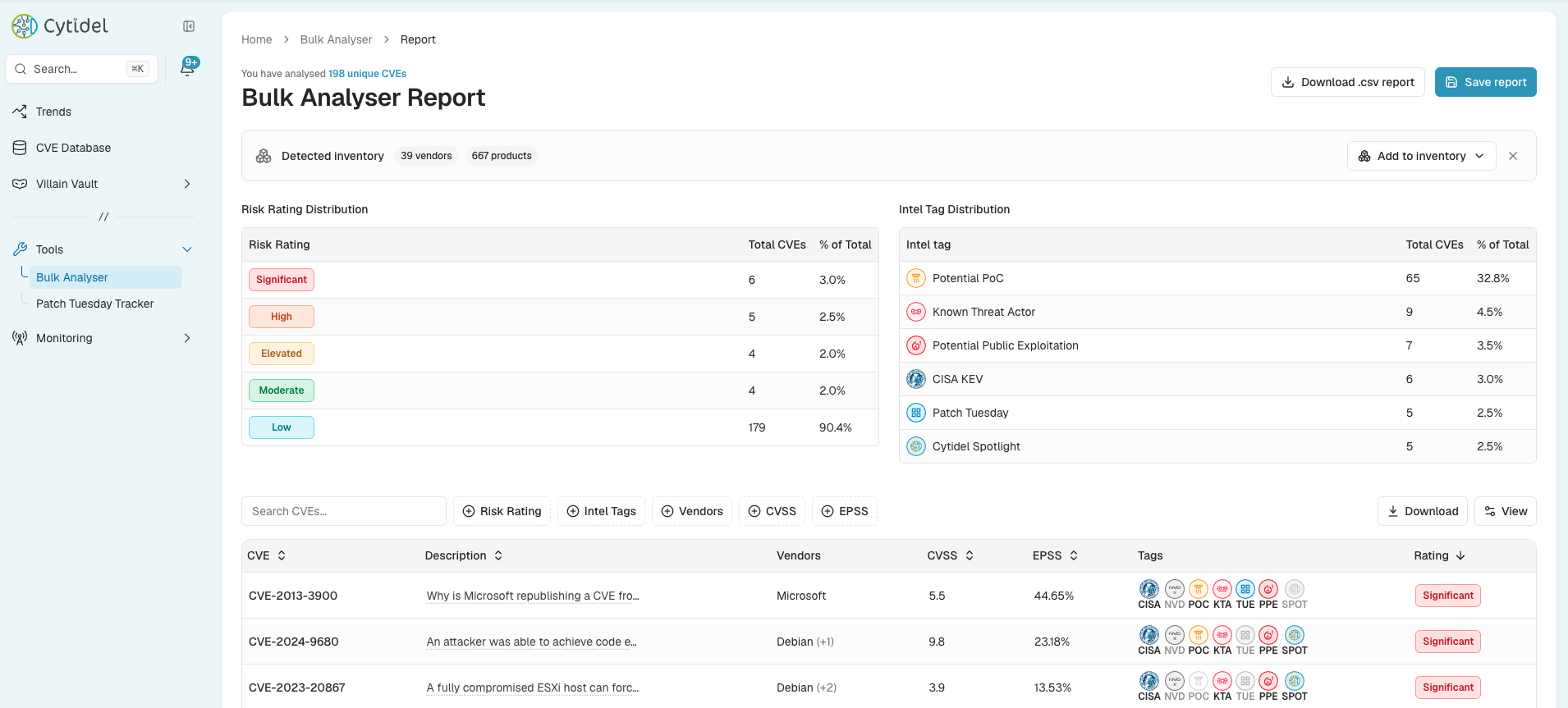
The report summarises your analysed CVEs:
- Detected inventory — the vendors and products found across the CVEs you analysed.
- Risk Rating Distribution — how many CVEs fall into each rating (Significant / High / Elevated / Moderate / Low), with the share of the total.
- Intel Tag Distribution — how many CVEs carry each intelligence tag (Potential PoC, Known Threat Actor, Potential Public Exploitation, CISA KEV, Patch Tuesday, Cytidel Spotlight).
- The CVE table — every analysed CVE with its description, vendors, CVSS and EPSS scores, intel tags, and risk rating. Search it, filter by risk rating / intel tags / vendors / CVSS / EPSS, and Download the results or the full .csv report.
Adding detected inventory
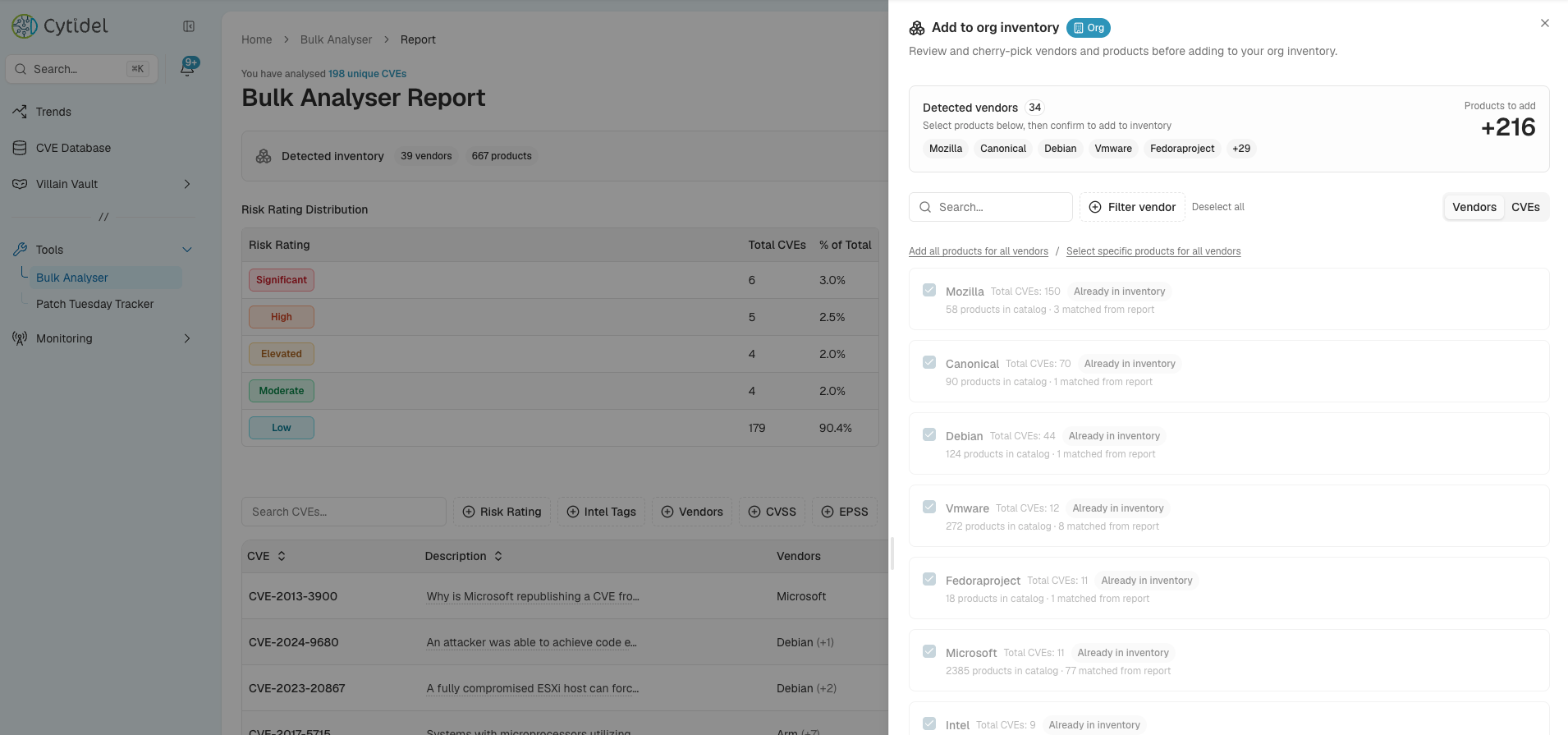
From the report's Detected inventory panel, use Add to inventory to bring the analysed vendors and products straight into your inventory — so a scan doubles as a way to build what Recon monitors for you. A side panel lets you cherry-pick before committing: search and filter, add all products or select specific ones per vendor, and see which vendors are already in inventory and how many products matched from the report. Confirm to add. (See the Building your inventory guide.)
Saving and revisiting reports
Click Save report to keep a report. Saved reports live under the My reports tab, listed with their name, total CVEs, severity and tag counts, and date — where you can view or delete them. Use Re-run with fresh data any time to refresh a report against the latest intelligence.
Using Recon for vulnerability prioritisation
Recon helps security teams move beyond static vulnerability scoring by incorporating real-world threat intelligence. By analysing vulnerabilities in bulk, you can:
- identify vulnerabilities with active or emerging exploitation
- prioritise remediation based on threat activity and risk signals
- focus resources on the vulnerabilities most likely to impact your organisation
This lets teams prioritise based on actual threat relevance, rather than severity scores alone.
Need a hand? Email us at [email protected].
Updated 2 months ago