

Monitoring third-party suppliers
Third-party supplier monitoring helps you stay informed about risk from the vendors and services your organisation relies on. You keep a registry of the suppliers you depend on, then monitor them in two ways:
- Breach alerts — get notified when a supplier is named in breach news or a ransomware leak.
- Vulnerability alerts (by supplier) — get notified about new CVEs in the software a supplier provides you.
Both draw on the same supplier registry, under Monitoring > Suppliers. Jump to a section:
- Add and manage your suppliers
- Set up a breach alert
- Get vulnerability alerts for a supplier
- Receiving and reviewing alerts
Add and manage your suppliers
Go to Monitoring > Suppliers to build your registry. The table lists each supplier with its Priority, the Inventory (software) tagged to it, and which Alerts are configured — a Breach and a Vulnerability status showing whether each is active and whether it's running on the default rule or a custom one. Use the ⋯ menu on a row to see full detail or delete a supplier.
To add a supplier:
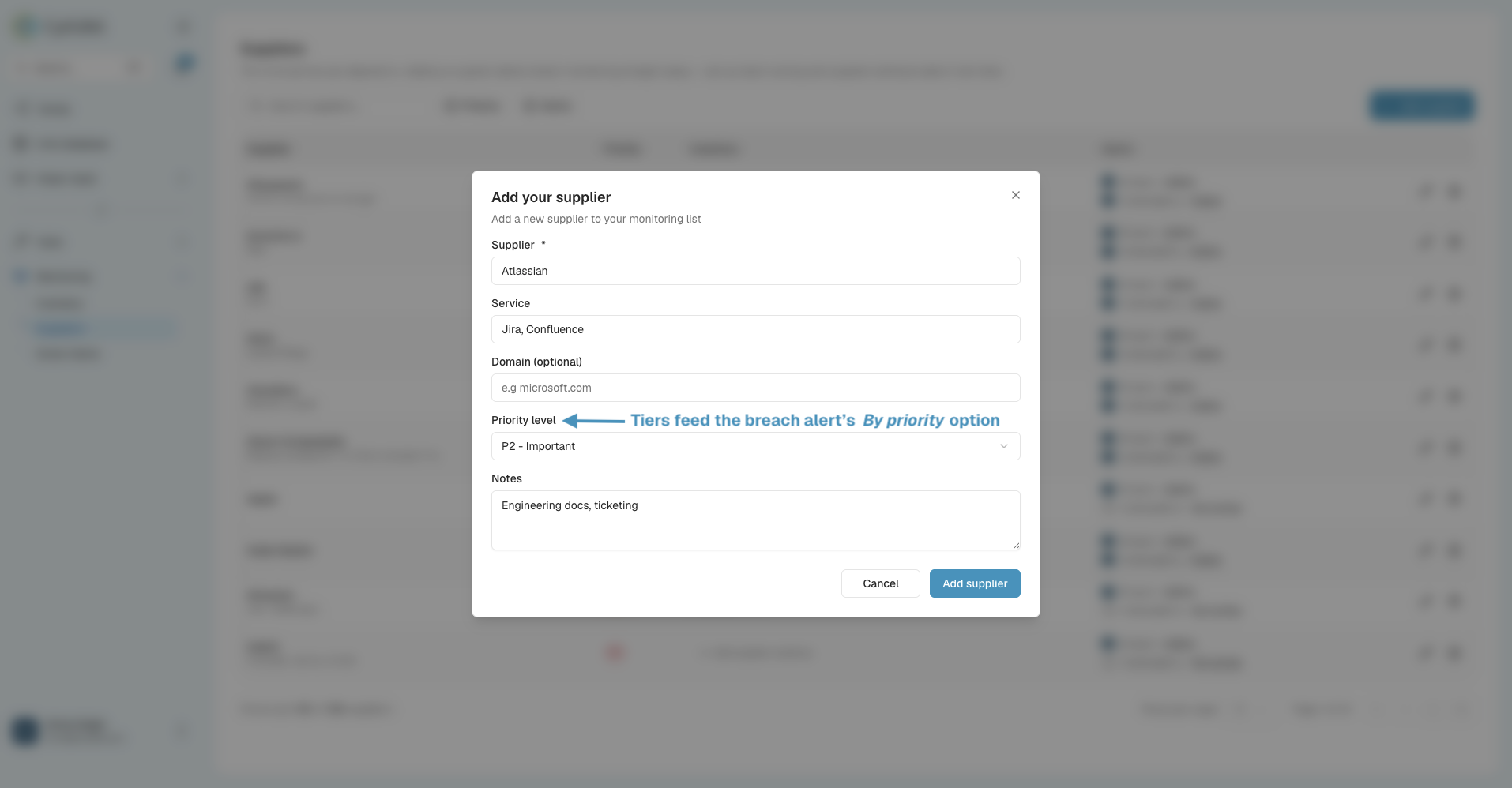
- Select Add supplier.
- Enter the supplier name (for example Microsoft, ServiceNow, or WordPress).
- Optionally, note the service they provide to your organisation.
- Choose a priority tier: P1 – Critical, P2 – Important, or P3 – Standard.
- Add optional notes describing how the service is used.
- Save.
Repeat for every supplier you want to monitor. The priority tier matters: breach alerts can watch suppliers by priority (for example, all your P1 suppliers), so any new supplier you add at that tier is covered automatically without editing your rules.
Set up a breach alert
Breach alerts live in Smart Alerts. Go to Monitoring > Smart Alerts, click Create new rule, and choose Breach alert. The builder has three steps:
- Details — name the rule and choose Personal or Org visibility.
- Monitoring — pick which suppliers the rule covers (All suppliers, By priority tier, or Specific suppliers from your registry) and which sources to watch (News reports and Ransomware.live victim listings).
- Notifications — choose email recipients and/or a webhook.
A default catch-all rule covers all suppliers, and you can layer per-supplier or priority-tier rules on top. Where more than one rule could apply to a supplier, the most specific one wins — so a supplier is never notified twice. For the full walkthrough, see the What are Smart Alerts? guide.
Get vulnerability alerts for a supplier
To be alerted to vulnerabilities in the software a supplier provides you:
- Tag the supplier's software in your inventory — use Assign supplier on a vendor (see the Building your inventory guide).
- Create a vulnerability alert scoped to that supplier — in the alert's Scope step, choose the supplier under Suppliers (see the What are Smart Alerts? guide). The rule resolves the supplier to its tagged software and fires on matching CVEs.
Once configured, the supplier's Vulnerability status in the registry shows as active.
Receiving and reviewing alerts
- Breach alerts arrive by email with the subject "Supplier Alert", showing the supplier(s) named, their priority level, what triggered the alert, and a summary of the article, with a View article button.
- Vulnerability alerts for a supplier arrive like any other vulnerability alert (subject "Smart Alert Notifications"), with the matched CVE and its detail.
- Everything also appears under Monitoring > Smart Alerts > History, where you can review, filter, and download recent activity.
This lets your team quickly assess whether a supplier incident — or a vulnerability in their software — needs further investigation or action.
Need a hand? Email us at [email protected].
Updated 2 months ago