

CVE details
The CVE details page gives you a comprehensive view of a single vulnerability — combining vulnerability data, threat intelligence, and Cytidel's own analysis in one place. It's where you go to quickly judge how severe a vulnerability is, how likely it is to be exploited, whether it's showing real-world threat activity, and how it connects to your environment.
You can open a CVE details page from many places in Recon — the Trends page, search results, the CVE Database, or any vulnerability table. Jump to a section:
Opening a CVE
- Find a vulnerability anywhere in Recon (Trends, search, the CVE Database, or a table).
- Select the CVE identifier.
- The CVE details page opens with the full intelligence overview.
Overview
The top of the page summarises the vulnerability and its key indicators:
- Dates — when the CVE was first published, when it was last updated, and how recently anything changed.
- Affects you — a badge showing whether the CVE hits your inventory, expandable to see the matched vendors and products.
- Header actions — open the Correlation map to see how the CVE connects to your environment (the alerts, watched assets, and threat actors that link it to you), or use Copy link to share the page.
- CVSS vector — click it to expand a full breakdown: the vulnerability type (for example "Authentication bypass · Unauthenticated"), the exploitability metrics (attack vector, complexity, privileges required, user interaction) and the impact metrics (scope, confidentiality, integrity, availability), with a Copy button.
- Description — the vulnerability description, sourced from NVD.
- Cytidel Risk Rating — Cytidel's assessment with a clear recommended action (for example, "Significant — Patch immediately").
- Quick stats — headline numbers including CVSS, EPSS (with a trend), Exploits (public proof-of-concept count), Threat actors, Activity 30D (news and social mentions), and Vendors (and products).
- Intel signals — the intelligence indicators active or inactive for this CVE: CISA KEV, NVD, POC, KTA, TUE, PPE, and SPOT (see the What are intel tags? guide).
- References — quick links to external sources such as NVD, EUVD, GitHub, and vendor advisories.
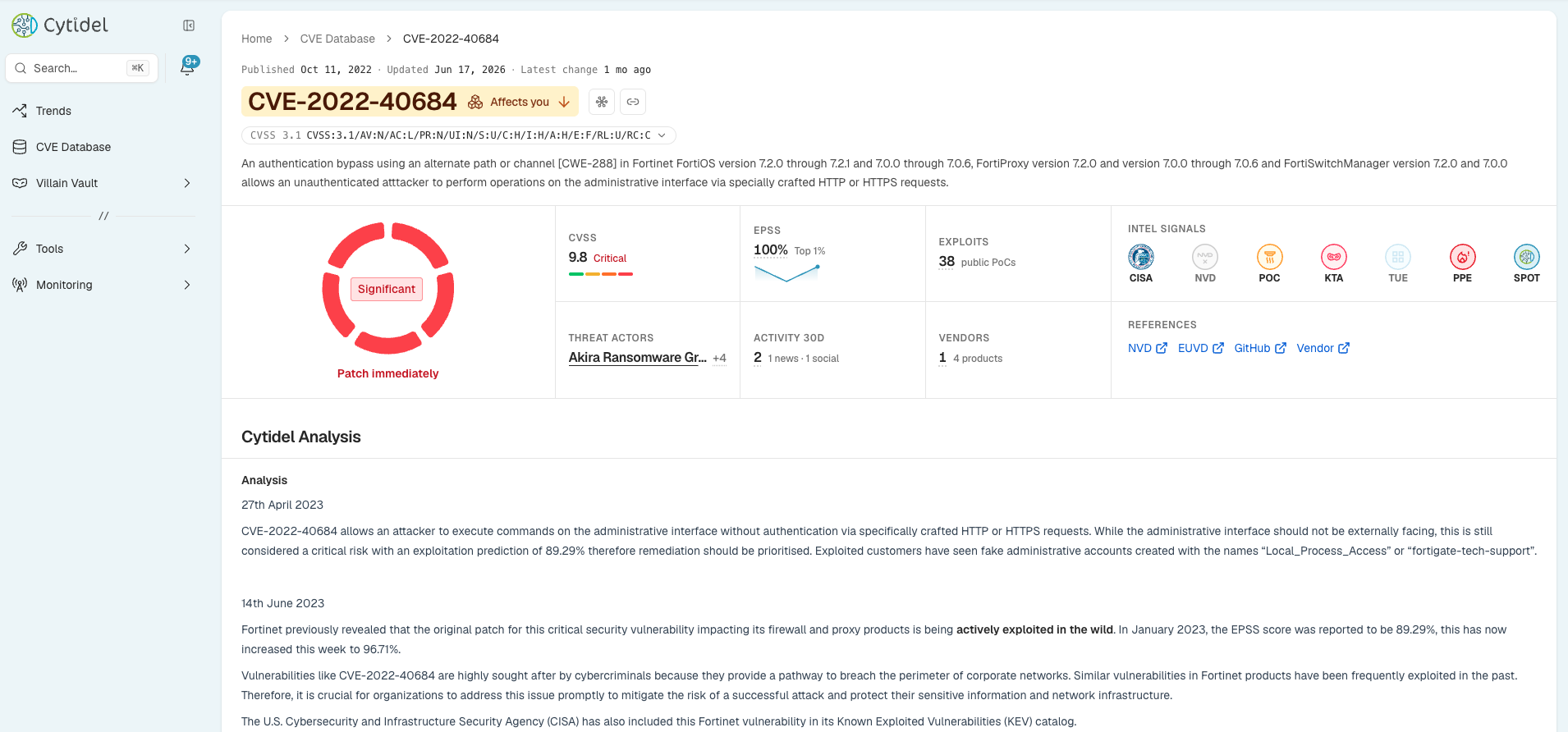
Cytidel Analysis
For vulnerabilities Cytidel's CTI team has analysed (added to Cytidel Spotlight), a Cytidel Analysis section provides deeper context — a dated analysis narrative, risk and business-impact notes, and recommended remediation. Use Show full analysis to expand the complete write-up. This is where you'll find Cytidel's expert take on the vulnerabilities that warrant closer attention.
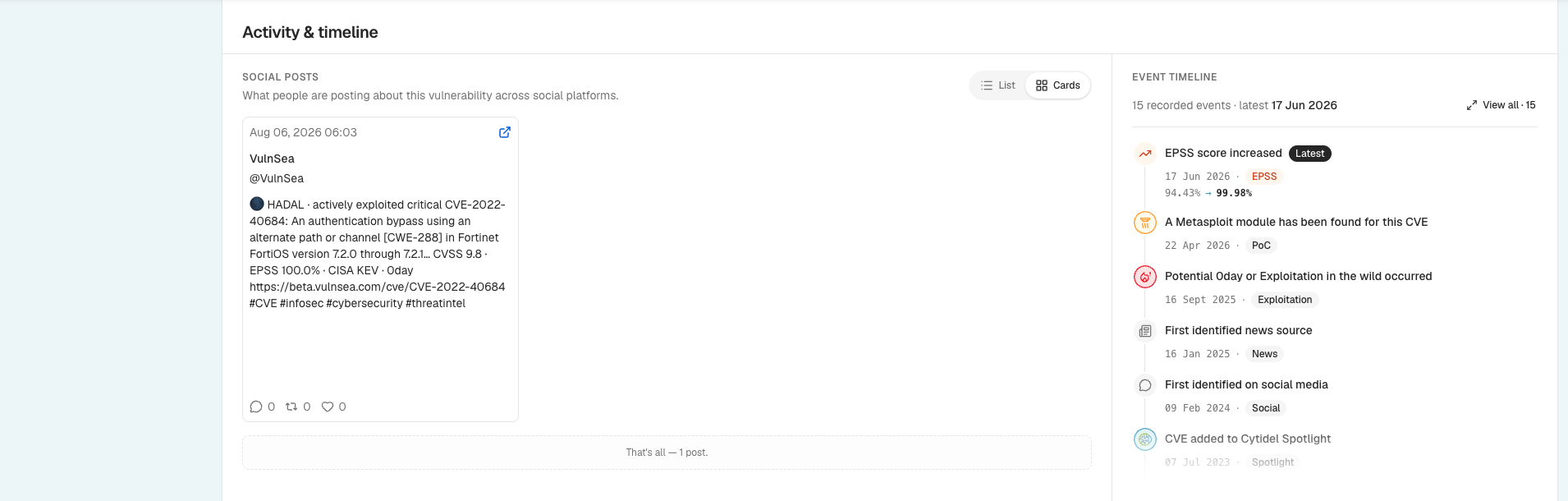
Activity & timeline
This section shows what's happening around the vulnerability and how it's evolving:
- Social posts — what people are posting about the CVE across social platforms, so you get real-time context from the community researching it. View as a List or Cards, search posts and accounts, and sort by engagement, latest, comments, reposts, or likes.
- Event timeline — the key events in the CVE's life, each tagged by type: EPSS score changes, a proof-of-concept or Metasploit module appearing, signs of exploitation in the wild, the first news and social mentions, and when it was added to Cytidel Spotlight. Click View all to open the Full event log side panel, where you can search and filter by event type.
Intelligence
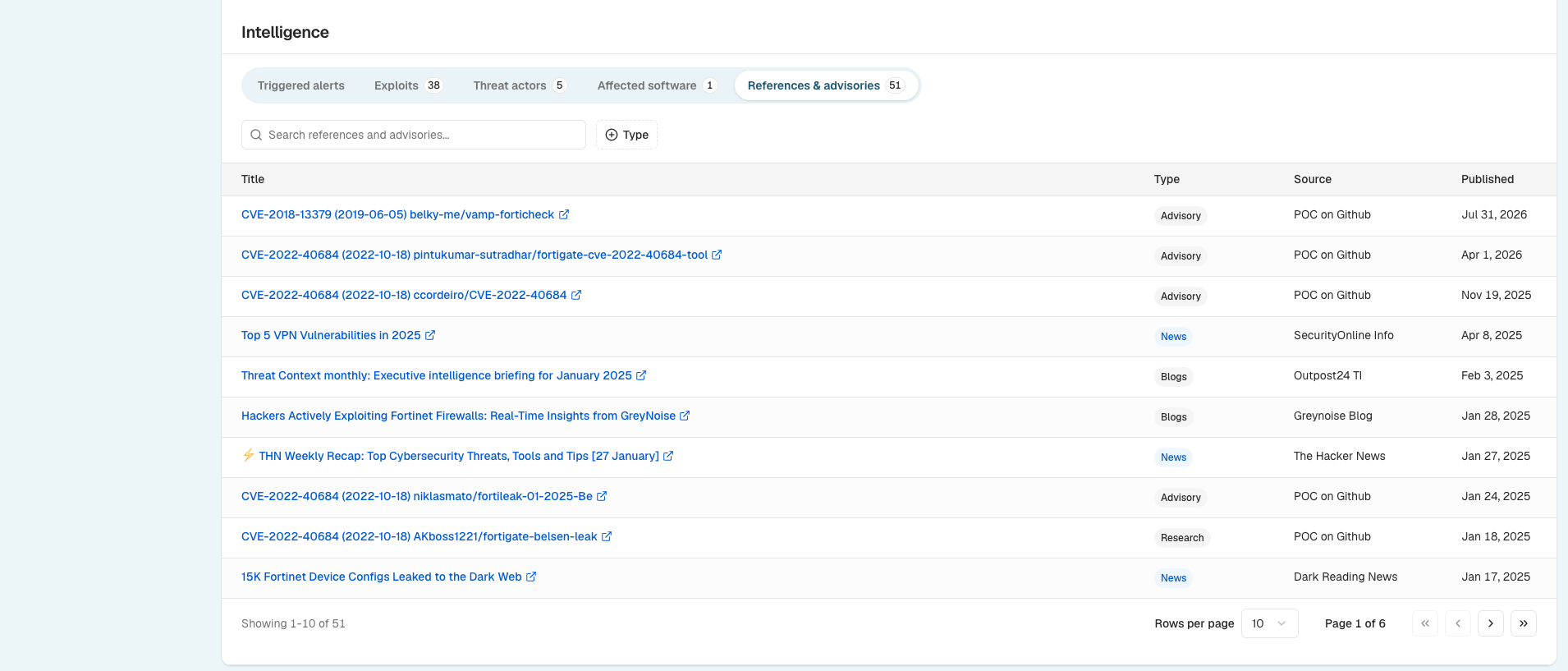
The Intelligence section organises the detailed evidence into tabs you can search and filter:
- Triggered alerts — whether your Smart Alerts caught this CVE. If none matched, you're seeing it from Recon's global threat intelligence. This tab also shows the business areas at risk (based on your labelled inventory) and the threat actors using it.
- Exploits — known exploit sources and proof-of-concept references, searchable. Safety note: PoC/exploit links may be harmful — use them only for authorised testing in isolated environments.
- Threat actors — the actors linked to the vulnerability, with their aliases and the sectors they target.
- Affected software — the vendors, products, and CPEs associated with the CVE. Filter by Inventory match to see where it overlaps with the software you track (marked with an INV badge).
- References & advisories — external sources such as news, blogs, advisories, and research, searchable and filterable by type.
Together, these sections let you go from "what is this CVE?" to "is it a risk to us, and what do we do about it?" in one place. Need a hand? Email us at [email protected].
Updated 2 months ago