

Threat Actor details
A threat actor profile gives you a comprehensive view of a single group — combining Cytidel's intelligence with vulnerability data and real-world activity in one place. It's where you go to understand how an actor operates, what they target, which vulnerabilities and tooling they're linked to, and how they connect to your environment.
You open a profile by selecting any threat actor in Villain Vault — from the Threat Actors directory, or anywhere an actor appears on the Threat Landscape. Jump to a section:
Overview
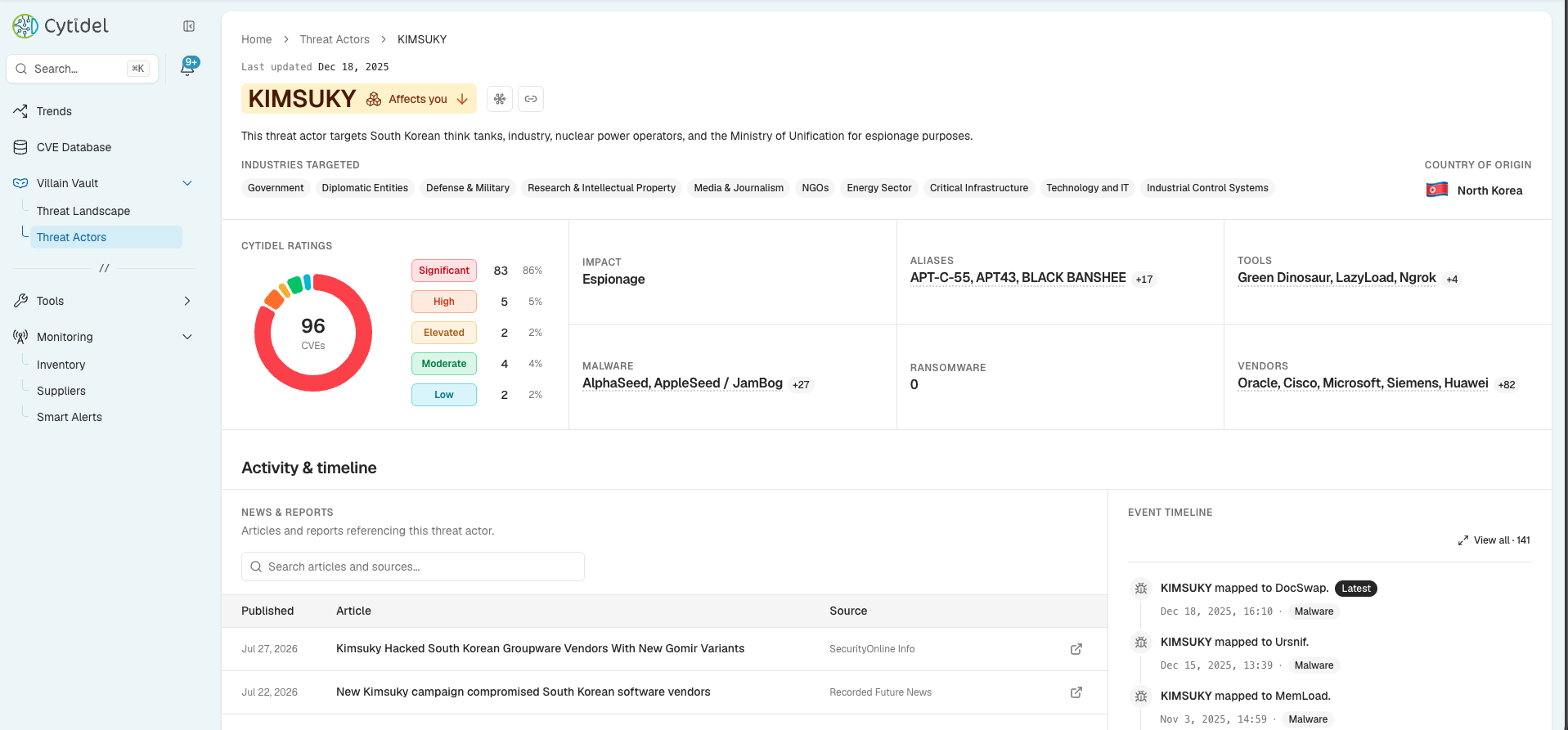
The top of the page summarises the group and its key indicators:
- Last updated — when the actor's intelligence was last refreshed.
- Actor name with an Affects you badge — showing whether the actor's activity touches your inventory.
- Header actions — open the Correlation map to see how the actor connects across its identity, arsenal, and your environment (its aliases, tooling, linked CVEs, vendors, and the alerts that link it to you), or use Copy link to share the page.
- Description — background on the group and its known activity.
- Industries targeted and Country of origin.
Below that, a row of summary cards:
- Cytidel Ratings — the actor's linked CVEs broken down by risk rating (Significant / High / Elevated / Moderate / Low), with the total count.
- Impact — the actor's likely objective (for example, Espionage).
- Aliases — the other names the group is known by.
- Tools, Malware, and Ransomware — the arsenal associated with the actor.
- Vendors — the vendors the actor's activity touches.
Activity & timeline
This section shows what's happening around the actor and how its activity is unfolding:
- News & Reports — articles and reports referencing the actor, searchable, each with its source and publication date.
- Event timeline — mappings involving the actor, newest first, each tagged by type (Malware, CVE, Tool, and so on). Click View all to open the full Event timeline side panel.
Intelligence
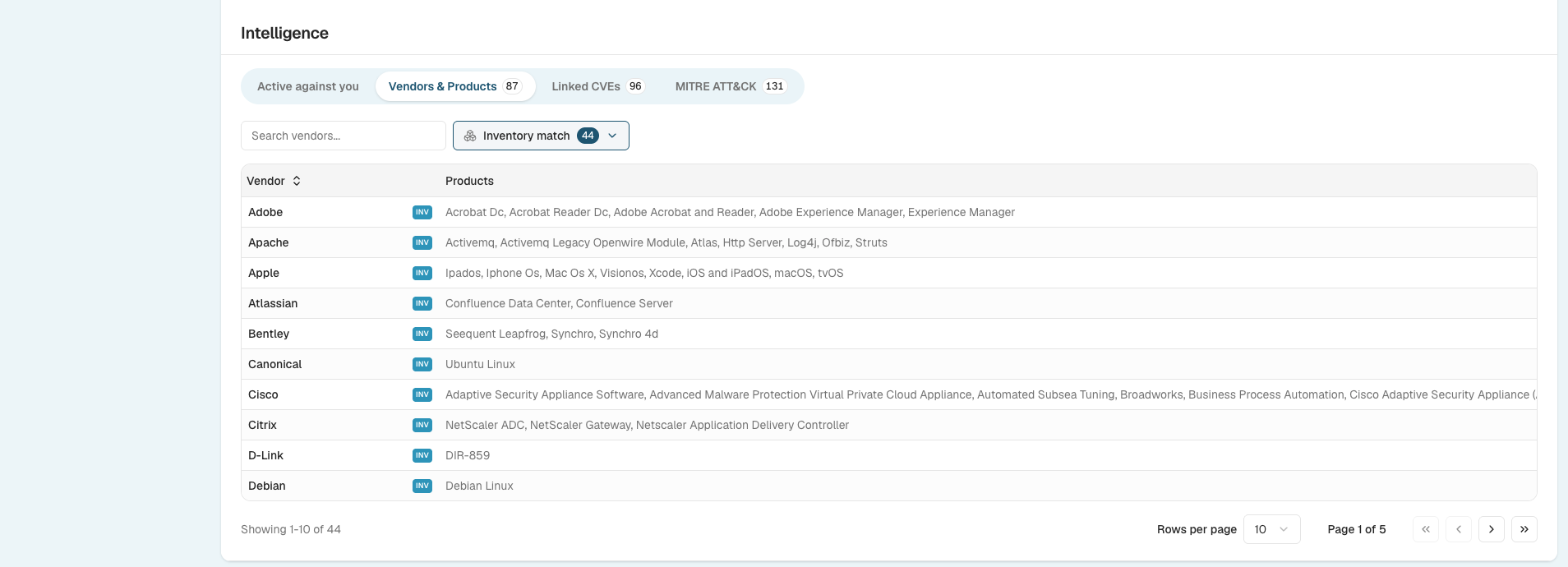
The Intelligence section organises the detailed evidence into tabs:
- Active against you — whether the actor has triggered any of your Smart Alerts. If none have, you'll see you're in the clear.
- Vendors & Products — the vendors and products the actor targets, with an Inventory match filter and INV badges so you can see where their targeting overlaps with the software you track.
- Linked CVEs — the vulnerabilities linked to the actor, with CVSS and EPSS scores, intelligence tags, social and news activity, and a risk rating. Filter by inventory, risk rating, vendors, intel tags, CVSS, and EPSS. (See the What are intel tags? guide for the tags.)
- MITRE ATT&CK — the tactics and techniques observed in campaigns attributed to the actor, laid out as an ATT&CK matrix. Switch between an Attack view and a Defend view, see coverage across tactics and techniques, and Download the matrix.
Between them, these sections take you from "who is this group?" to "do they target us, how do they operate, and what should we watch?" — all on one page. Need a hand? Email us at [email protected].
Updated 2 months ago